
Invoicing in Conta.es






 3. April, 2026
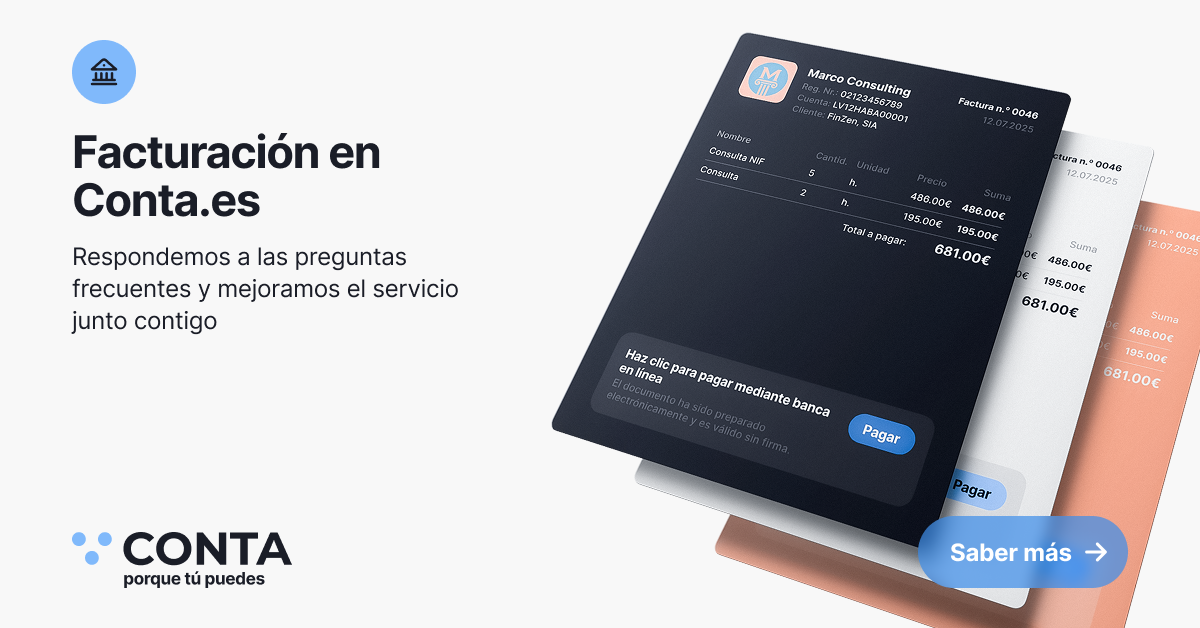
Invoicing in Conta.es: we answer frequent questions and improve the service together with you
This material was created based on your questions after registering in Conta.es. We carefully read your feedback, see how you use invoices, and improve the invoicing service so that it becomes easier, clearer, and faster for you to issue invoices to your clients.
If you have questions, ideas, or you notice that some function is missing, write to us at [email protected]. Every email helps us make Conta.es more convenient and transparent for all users.
Why we pay so much attention to invoicing
For self‑employed professionals and freelancers in Spain, an invoice is not just a document. It is the basis of tax accounting, proof of income, and a tool that affects client trust and payment speed. Therefore, invoicing in Conta.es is one of the key modules around which we constantly collect and implement your suggestions.
New users often ask similar questions: “Can I use Conta.es only for issuing invoices?”, “What limitations does the free version have?”, “What are the ‘first 60 days’?”, “Which functions will no longer be available after the trial period ends?”. In this article we answer these questions in detail and show which features are available in different plans.
Free invoicing for autónomos in Spain
The free invoicing in Conta.es was created as support for autónomos in Spain who need to issue invoices in a convenient and correct way without diving into complex software and accounting terminology. You can create up to 10 invoices per month completely free of charge and without entering your bank card details.
The free invoicing feature allows you to:
- create up to 10 invoices per month with automatic calculation of IVA and IRPF withholdings;
- download invoices in PDF format and send them to your clients by email or via a link;
- work with a client database and a product and services catalog;
- invite your accountant so that they receive documents directly from the Conta.es system and use them for tax reporting.
This approach allows you to start working with invoices immediately, without financial commitments, and understand whether the system suits you before thinking about switching to a paid plan.
Invoice creation by plan: which features are available
Below is a table with the main features of the invoicing module and their availability in the plans: Free invoices, Basic, Pro, and Premium. We have removed additional technical details and kept what is important for decision‑making: in which plan you can cover your invoicing needs.
| Feature | Free invoices | Basic (9 €/month) | Pro (19 €/month) | Premium (29 €/month) |
|---|---|---|---|---|
| Invoice issuance | Up to 10/month | Up to 10/month | Unlimited | Unlimited |
| VeriFactu | ✔ | ✔ | ✔ | ✔ |
| Invoice duplication | ✔ | ✔ | ✔ | ✔ |
| Automatic invoice numbering | ✔ | ✔ | ✔ | ✔ |
| Multiple billing details in one invoice | ✔ | ✔ | ✔ | ✔ |
| Automatic discount calculation | ✔ | ✔ | ✔ | ✔ |
| Invoice numbering series | ✔ | ✔ | ✔ | ✔ |
| Invoice PDF generation | ✔ | ✔ | ✔ | ✔ |
| Multi‑currency invoices | ✔ | ✔ | ✔ | ✔ |
| Invoices in different languages (ENG / ES) | ✔ | ✔ | ✔ | ✔ |
| Automatic IVA calculation | ✔ | ✔ | ✔ | ✔ |
| Automatic IRPF withholding calculation | ✔ | ✔ | ✔ | ✔ |
| Factura ordinaria | ✔ | ✔ | ✔ | ✔ |
| Factura rectificativa | ✔ | ✔ | ✔ | ✔ |
| Factura simplificada | ✔ | ✔ | ✔ | ✔ |
| Ingresos adicionales | ✔ | ✔ | ✔ | ✔ |
| Manual invoice date | ✔ | ✔ | ✔ | ✔ |
| Custom fields (comment) | ✔ | ✔ | ✔ | ✔ |
| Manual due date | ✔ | ✔ | ✔ | ✔ |
| Invoice status filter | ✔ | ✔ | ✔ | ✔ |
| Automatic data filling | ✔ | ✔ | ✔ | ✔ |
| Product and services catalog | ✔ | ✔ | ✔ | ✔ |
| Custom units of measure | ✔ | ✔ | ✔ | ✔ |
| Interface in multiple languages (ES / EN / RO / RU) | ✔ | ✔ | ✔ | ✔ |
| Invoice templates | ✔ | ✔ | ✔ | ✔ |
| Partners catalog / client database | ✔ | ✔ | ✔ | ✔ |
| Payment link (payment button in the invoice) | ✔ – first 60 days | ✔ up to 5/month | ✔ up to 5/month | ✔ up to 40/month |
| Bank integration | ✔ – first 60 days | ❌ | ✔ | ✔ |
| Automatic payment tracking | ✔ – first 60 days | ❌ | ✔ | ✔ |
| Adding a logo to the invoice | ✔ – first 60 days | ✔ | ✔ | ✔ |
| Generation of tax reports | ❌ | ✔ | ✔ | ✔ |
| Sending the invoice via WhatsApp | ✔ | ✔ | ✔ | ✔ |
| Sending the invoice by email | ✔ | ✔ | ✔ | ✔ |
| Sending the invoice via link | ✔ | ✔ | ✔ | ✔ |
| Downloading the invoice in PDF | ✔ | ✔ | ✔ | ✔ |
| Removing conta.es branding from the invoice | ❌ | ❌ | ❌ | ✔ |
| Access from any device | ✔ | ✔ | ✔ | ✔ |
| QR code for payment | ✔ – first 60 days | ✔ | ✔ | ✔ |
| Inviting an accountant | ✔ | ✔ | ✔ | ✔ |
The first 60 days are a trial period that starts after you first use any of the system’s features (for example, create an invoice, connect a bank, or try the Payment link). From the moment of activation you have 60 days to use the system and test its capabilities without any restrictions on these features, without entering your bank card and completely free of charge.
After the trial period ends, the free account will have certain limitations: the logo on the invoice will no longer be available, the bank integration and automatic payment tracking will be disabled, and the button in the invoice for quick payment initiation (Payment link and QR code) will also no longer be available. At the same time, you will still be able to issue free invoices within the limit and work with the basic invoicing features.
It is also important to keep in mind that after the trial period ends, you will only be able to open or download a document uploaded to the system if it was created or added no more than 90 days ago. If a document is older than 90 days, the system will offer you to purchase any of the plans in order to gain access to the full archive and remove these limitations.
Invoicing features and their purpose
To make it easier for you to understand how each feature helps in your work, we have prepared a separate table with brief descriptions. It is suitable for those who are just getting acquainted with the system and want to immediately see what exactly can be done in Conta.es when issuing invoices.
| Feature | Description |
|---|---|
| Invoice issuance | Creation and sending of invoices to clients taking into account all mandatory details and taxes. You can prepare the document in a few minutes and send it to the client immediately. |
| VeriFactu | Compliance with the requirements of Spanish legislation for invoicing systems. This helps you work within the rules and prepare for changes in tax regulation. |
| Invoice duplication | Creation of a new invoice based on an existing one. This is convenient if you regularly issue similar invoices to the same clients. |
| Automatic invoice numbering and series | The system automatically assigns invoice numbers and allows you to create different series for different types of documents or activities, maintaining order and compliance with requirements (the initial numbering must be set in the profile settings). |
| Multiple billing details in one invoice | The ability to specify different legal or payment details in a single document if you work in several formats or with several trade names. |
| Automatic discount calculation | Discounts are applied automatically when calculating the final amount, which reduces the risk of errors and saves time when you frequently use promotions or special offers. |
| Multi‑currency invoices | Issuing invoices in different currencies, which is convenient when working with clients from other countries or when the agreement is in a currency other than the euro. |
| Invoices in different languages | Creating invoices in English and Spanish for clients who prefer documents in another language. This increases trust and simplifies communication. |
| Automatic IVA and IRPF withholding calculation | The system automatically calculates IVA and IRPF withholdings at the specified rates, reducing the risk of errors with manual entry and helping you comply with the requirements of the tax authorities. |
| Factura ordinaria, rectificativa, simplificada | Support for standard, corrective, and simplified invoices in accordance with Spanish legislation. You can choose the appropriate type of document for each situation. |
| Ingresos adicionales | Recording additional income that is not documented with a regular invoice but must be included in the accounts to maintain an accurate picture of finances. |
| Custom fields and comments | Adding additional comments, terms, or internal notes to an invoice. This is useful when you need to explain project details or specific agreements. |
| Manual invoice and payment date | Flexible configuration of the invoice issue date and the payment due date. This helps you adapt to agreements with the client or specific reporting requirements. |
| Invoice filters and statuses | Quick search for documents by status (paid, unpaid, overdue, etc.) and other parameters. This is convenient for controlling accounts receivable and planning incoming payments. |
| Product and services catalog | Storage and reuse of item names, prices, and descriptions. It saves time when preparing invoices and reduces the risk of typos. |
| Partners catalog / client database | Keeping client information in one place and using this data when creating new invoices. You do not have to enter billing details manually every time. |
| Invoice templates | Ready‑made document structures that you can adapt to your business. They speed up invoice creation and help maintain a consistent style. |
| Adding a logo | The ability to add your logo to the invoice so that the document looks professional and recognizable. The logo is free during the first 60 days and is then available in the paid plans. |
| Payment link and QR code | A button and QR code for quick payment initiation: the client can proceed to payment directly from the invoice. This shortens the time between issuing the invoice and receiving the money. |
| Bank integration and automatic payment tracking | Connecting bank accounts and automatic synchronization of incoming payments. The system marks invoices as paid and helps you not miss important payments. |
| Generation of tax reports | Preparing reports based on invoice and transaction data. This simplifies working with an accountant and preparing tax returns. |
| Sending the invoice by email, WhatsApp and via link | Flexible ways to deliver documents to the client: via email, messenger, or a direct link. Each client receives the invoice in a format that is convenient for them. |
| Inviting an accountant | You can give your accountant access to your account so that they can independently download documents and work with them directly in Conta.es. |
Conta.es grows thanks to your feedback
Many of the features presented above appeared in the system after your requests: from templates and auto‑filling to the Payment link, QR codes, and flexible filters by status. We will continue to develop invoicing to cover both the basic and more advanced needs of self‑employed professionals and freelancers.
If you are already using Conta.es and feel that you are missing a specific option, tell us about your use case at [email protected]. The more detail you provide, the more accurately we can assess and plan the improvement.
Thank you for helping us make Conta.es a convenient, clear, and transparent tool for bookkeeping and invoicing in Spain.

FAQ: Invoicing in Conta.es for self‑employed professionals and freelancers in Spain
What is Conta.es and who is your service for?
Conta.es is an online service for self‑employed professionals (autónomos) and freelancers in Spain that helps you issue invoices, calculate taxes, and prepare returns in line with Spanish rules. If you work for yourself in Spain, provide services, or sell products and you need to issue invoices to clients quickly and correctly, Conta.es was created precisely for this.
Can I use Conta.es only for issuing invoices?
Yes, you can use Conta.es only as a service for issuing invoices for your activity in Spain. Free invoicing allows you to create up to 10 invoices per month, download them in PDF, send them by email, WhatsApp, or link, and invite an accountant to work with the documents.
How much does Conta.es cost for issuing invoices? Is there a free version?
Conta.es offers free invoicing in Spain: you can create up to 10 invoices per month without entering your bank card. If you need more invoices or advanced features (integration with Spanish banks, automatic payment tracking, extended Payment link, etc.), you can switch to one of the paid plans.
What do the “first 60 days” mean in Conta.es?
The “first 60 days” are a trial period that begins when you first use any of the system’s features: you create an invoice, connect a bank, or activate the Payment link. For 60 days you can test the extended functionality for bookkeeping and invoicing in Spain without limitations on these features, without entering your card, and completely free of charge.
What happens to the features after the 60‑day trial period ends?
After the trial period ends, the free account keeps the ability to use basic invoicing (up to 10 invoices per month for your activity in Spain), but some features will no longer be available. Bank integration, automatic payment tracking, and the button for quick payment initiation (Payment link and QR code) will be disabled, and the logo in the invoice will remain only in the paid plans.
How do the limitations for documents older than 90 days work?
In the free version, after the trial period ends, you can open or download only those documents that were created or uploaded to the system in the last 90 days. If a document is older than 90 days, the system will suggest switching to any of the Conta.es plans in order to access the full archive and remove this limitation.
What types of invoices can I create in Conta.es?
In Conta.es you can create standard invoices (Factura ordinaria), corrective invoices (Factura rectificativa), and simplified invoices (Factura simplificada) in accordance with Spanish law. Additionally, you can record “Ingresos adicionales” – additional income that is important for tax accounting for autónomos in Spain.
Does Conta.es comply with the requirements of the Spanish Tax Agency and VeriFactu?
Yes, the invoicing module in Conta.es is designed taking into account the requirements of Spanish legislation and VeriFactu. The system supports correct numbering, invoice types, and automatic calculation of IVA and IRPF withholdings for autónomo activity in Spain, which makes it easier to prepare returns and work with the tax authorities.
Does Conta.es calculate taxes automatically (IVA and IRPF withholdings)?
Yes, Conta.es automatically calculates IVA and IRPF withholdings at the specified rates at both line and document level for operations in Spain. This reduces the risk of errors in manual calculations and simplifies the work of those who do not want to deal with formulas and spreadsheets.
Can I issue invoices to clients from other countries and in different currencies?
Yes, the system supports multi‑currency invoices, so you can issue documents in different currencies (for example, in euros and another agreed currency). This is convenient if you are an autónomo in Spain working with foreign clients and want to invoice them in their preferred currency.
Do I need a bank card to start using Conta.es?
No, to start using Conta.es and test invoicing for your activity in Spain, you do not need a bank card. You can register, create invoices, and activate the 60‑day trial period without providing any payment details.
Can I accept payments via link or QR code through Conta.es?
Yes, Conta.es supports Payment link and QR code: the client receives the invoice and can proceed to payment with a single click or by scanning. During the first 60 days these features are available for free, and then according to the selected plan, which is convenient for autónomos in Spain who want to speed up payment collection.
Does Conta.es offer bank integration and automatic payment tracking?
Yes, Conta.es offers integration with banks in Spain and automatic tracking of payment status. During the first 60 days these features are available within the trial period, and then they are included in the corresponding paid plans and help you control incoming payments on your Spanish accounts.
Can I invite my accountant to Conta.es?
Yes, you can invite your accountant and give them access to your invoices and documents in Conta.es. Your accountant will be able to download invoices and prepare tax returns without exchanging documents via email or messengers.
Is Conta.es suitable if I am just starting out as an autónomo in Spain and know nothing about accounting?
Yes, Conta.es is suitable for new autónomos and freelancers in Spain who want to issue correct invoices without deep accounting knowledge. The system automates numbering, tax calculations, multi‑currency invoices, and work in different languages so that you can focus on your clients instead of paperwork.
How quickly will I be able to issue my first invoice after registering?
Usually, users in Spain create their first invoice in Conta.es in a few minutes: you register, fill in your autónomo details, add a client and a service item, and the system automatically calculates the amounts and taxes. Right after that you can download the invoice in PDF or send it to the client by email, WhatsApp, or link, including in English if it is an international client.
In which languages is the Conta.es interface available?
The Conta.es interface is available in Spanish, English, Romanian, and Russian. This is convenient for those who live and work in Spain but prefer to manage their bookkeeping and invoices in a familiar language while issuing invoices to clients in English or Spanish.
Where can I ask additional questions about Conta.es?
You can send us an email at [email protected].